
Reviving Windows XP
Here I come, 2001!
23 August 2026
My grandmother, while cleaning out her home recently, gifted me a computer from 2003. I’d always been into older systems, so naturally I immediately went to see if it worked, and by some miracle, it still did! It even came with a monitor, speakers, and a keyboard. Had some pretty good specs for the era too (for the fellow nerds):
CPU - Intel Pentium 4 2.60GHz
GPU - NVIDIA GeForce4 MX440
RAM - Corsair 1x512MB DDR1 400MHz
MOBO - MSI 865PE Neo 2
But man was this thing dusty! I mean the case itself was oxidizing (I assume that’s what that is), and dust caked every component. The photo below is AFTER me blowing it with a duster!
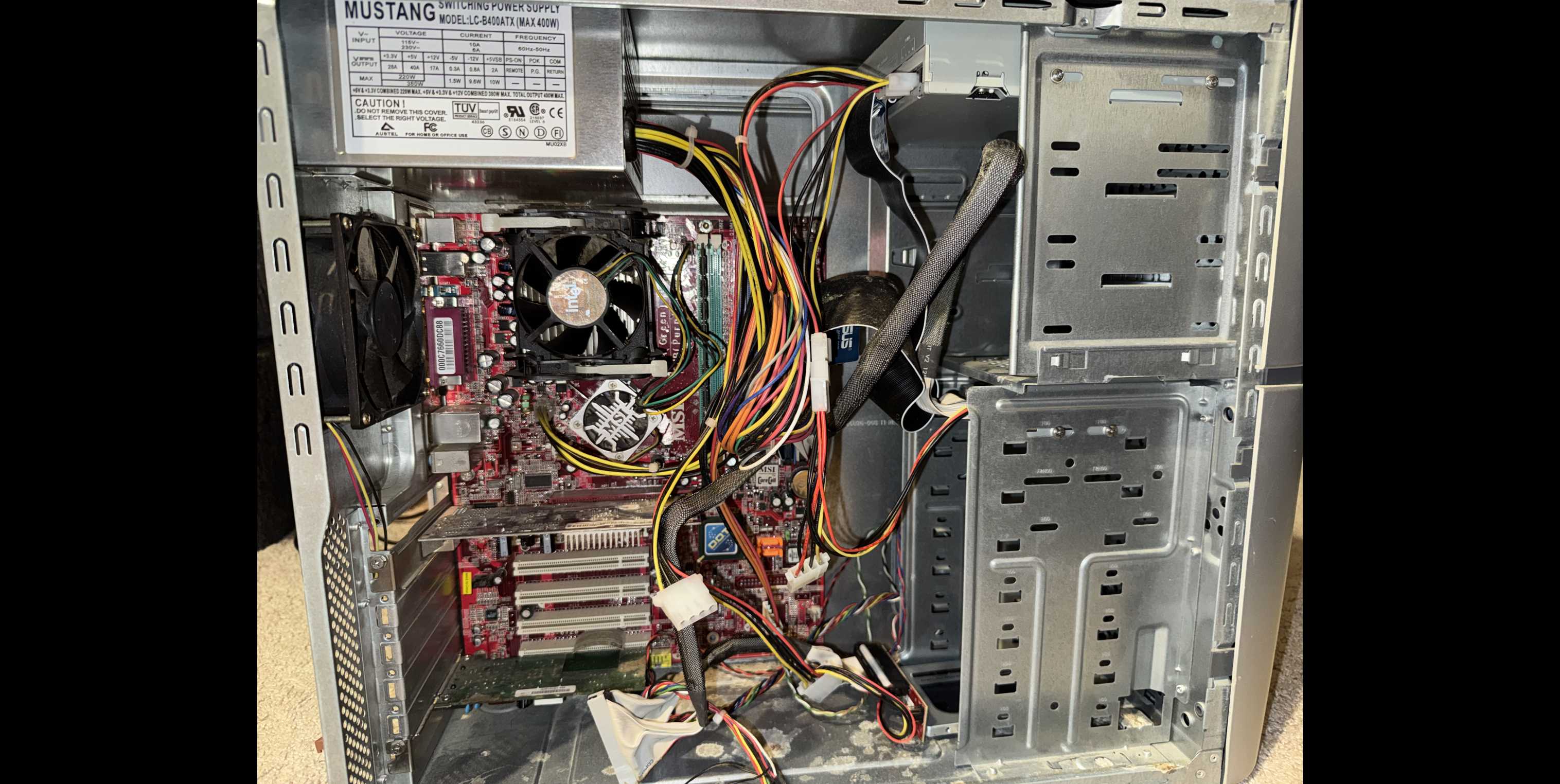
Regardless, I loved this thing to bits. It had my grandmother and other old accounts on it, and I could see all of the software they used back then.
This was until (to the surprise of possibly nobody) the hard drive failed.
It was an old IDE interface drive (as opposed to modern SATA interface) from 2003 and having sat in an attic for a long time it stopped working and practically nothing would load.
This didn’t stop me though! I wasn’t going to let this PC just die.
I ordered a Startech IDE to SATA adapter, and plugged in a SSD (a solid state drive, a much faster and newer replacement to the Hard Drive).
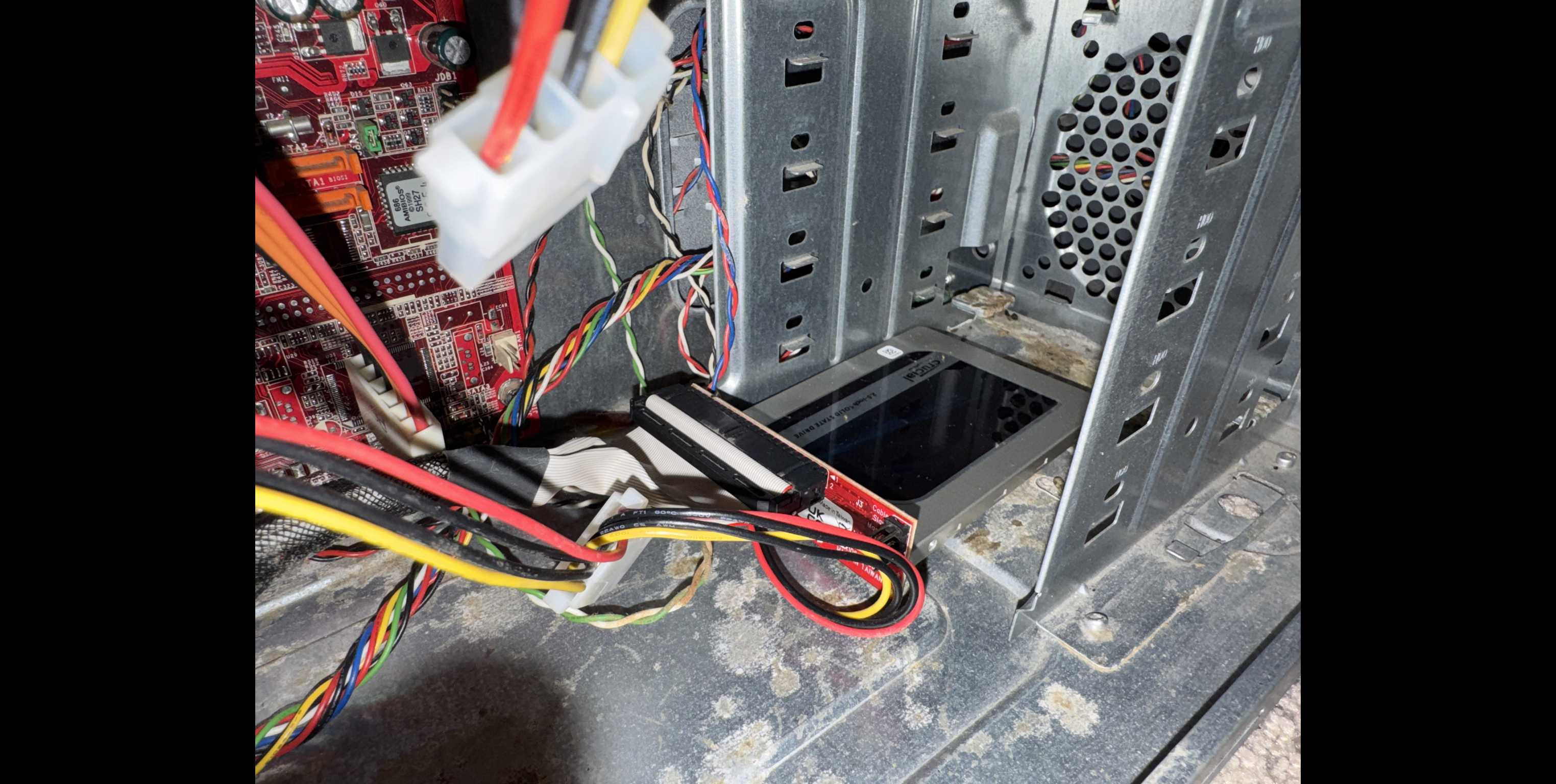
The SSD I used was a Crucial drive manufactured in 2017 and harvested from an old gaming pc of ours
The results were night and day. Windows XP booted at a speed not even thought of in 2003. It was actually incredible to see something so old run at almost modern speeds.
I got to try all of my favorite programs’ XP counterparts, burning them to DVDs and slotting them in: FL Studio/Fruity Loops, Blender, Photoshop, and so on.
The best part though was the games. This computer handled era-appropriate Valve games at a REALLY good speed. Here’s an example of me pushing random buttons on Counter-Strike to show you the framerate (XP startup sound included):
Again just pushing random buttons! I promise I'm a really skilled gamer trust me
This project was really fun, and I’ve thanked my grandma multiple times for giving this to me. If you’ve seen my last post, it even helped me recover old floppy disks from my local museum’s collection!
From this little side project I learned the differences between a Solid State Drive and a Hard Drive (SSD is better for gaming/daily office work while a HDD is for long-term file storage), and how floppy disks work as well as how small they are, only 1.44 megabytes!
If you’ve taken the time to read this, seriously thank you. I enjoy spilling my brain out on this website and I appreciate the people who spend time out of their day to see what I have to say.
Until next time!